Expense tracking for Nigeria
See where your money goes, without typing a thing.
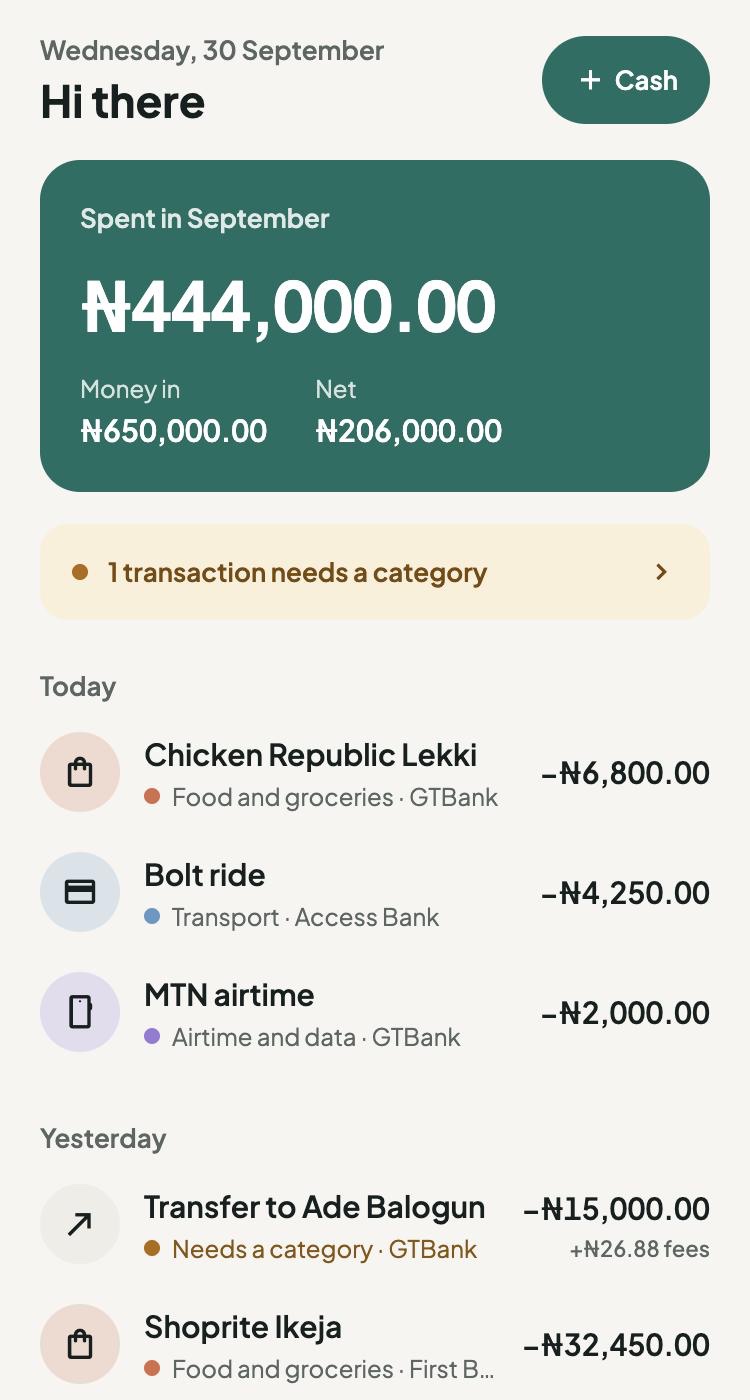
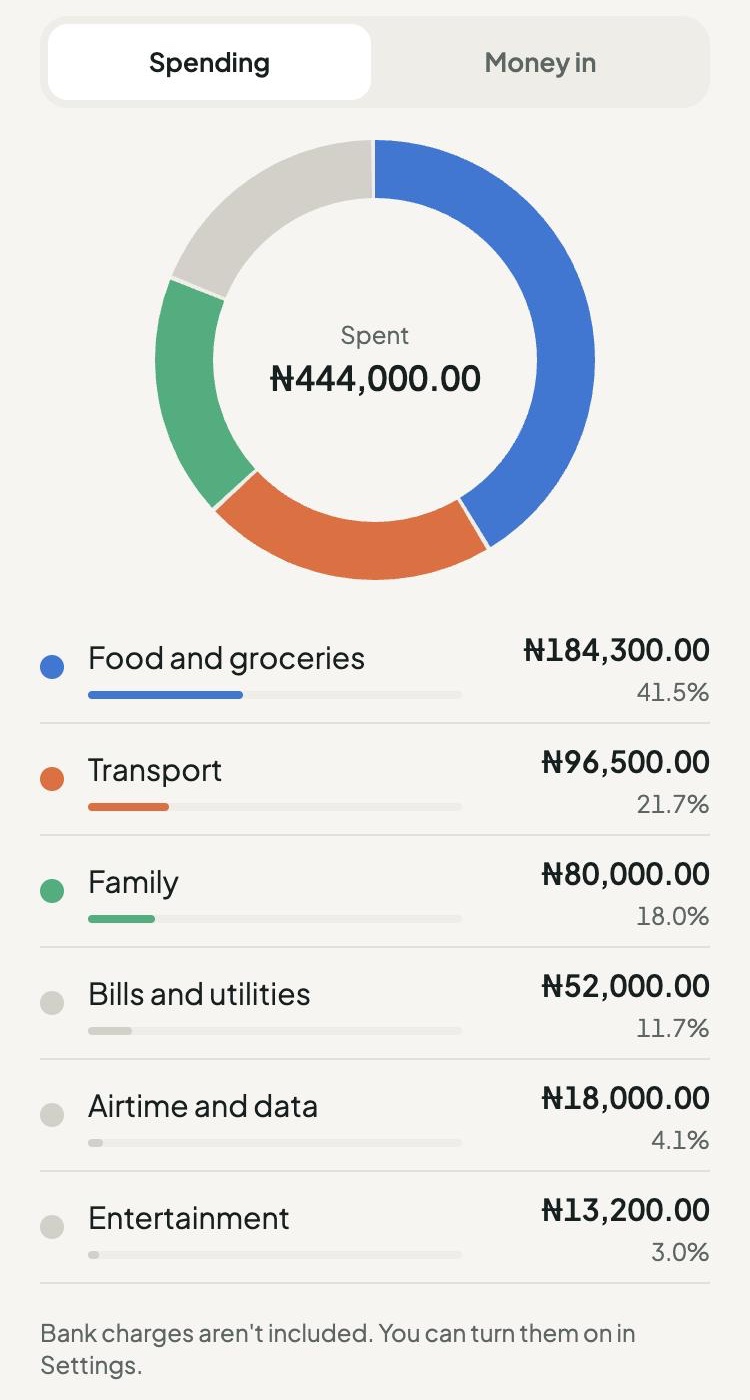
Kobuddy reads your bank's alert emails, SMS and receipts and turns them into a clear record of your spending, sorted by category.
Free while in beta. The Android app is on Google Play; on iPhone, use Kobuddy in your browser while the iPhone app is on its way.
How it works
Set it up once. It keeps up by itself.
Every debit and credit alert becomes a transaction in Kobuddy, usually within a minute.
-
Sign up with your phone number
Add your name and pick the banks you use. No bank login, no card details.
-
Point your bank alerts at Kobuddy
A short guide sets up a Gmail filter that sends only your bank alerts to your private Kobuddy address. Your other emails stay where they are.
-
Watch your spending sort itself
Transfers, card payments, airtime and bills land in categories automatically. You only step in when Kobuddy isn’t sure.
What you get
A calm, honest picture of your money.
Categories that learn
File a payment to someone once and Kobuddy remembers. Put a word like “lunch” in your transfer remark and it files it for you.
Weeks, months, or your pay cycle
See spending by category for any week, month or year, or set your month to start on payday, like the 25th.
Bank charges kept out of the way
Transfer fees, VAT and stamp duty are tucked under the payment they belong to, so they don’t clutter your list. Turn them on any time.
Cash too
Paid for suya in cash? Add it in a few taps. A daily expense, like bus or keke fare? Set it once and Kobuddy adds it for you every evening.
A short review, not a chore
Anything Kobuddy can’t place waits in Review. Pick a category and similar transactions follow.
Read-only by design
Kobuddy never asks for your bank login or card details, and it can’t move money. It only reads alerts.
Supported banks
Works with the alerts from your bank.
Kobuddy understands these banks’ email alerts today, with more on the way.
- GTBank
- Access Bank
- First Bank
- Kuda
- Moniepoint
- OPay
- PalmPay
- Polaris Bank
- Providus Bank
- Stanbic IBTC
- Sterling Bank
- UBA
- Union Bank
- Wema Bank (ALAT)
- Zenith Bank
- More coming
On Android, Kobuddy can also read your bank’s SMS alerts, and OPay and PalmPay’s app notifications, if you allow it, so payments are recorded as they happen. On Android and iPhone you can share a receipt from your bank’s app too, and Kobuddy records it in a couple of taps.
Bank not listed? Email [email protected] and tell us which one. It helps us decide what to add next.
Your privacy
Only your bank alerts. Nothing else.
Kobuddy is built so it only ever sees what it needs.
- No access to your inbox. Your Gmail filter forwards only bank alerts. Kobuddy can’t read your other emails.
- Only bank messages. On Android, if you allow it, your phone passes on SMS from banks and notifications from bank apps only. Your other messages and apps’ notifications never leave your phone.
- No bank logins. We never ask for your internet banking details, PIN or card number.
- Original alerts deleted after 90 days. We keep the transactions, not the emails.
- Never sold. Your data isn’t sold or used for advertising. Read the privacy policy.
On Android? Get the app
Kobuddy for Android is on Google Play.

On iPhone? It’s coming
Kobuddy works in your iPhone’s browser today. Leave your email and we’ll tell you when the app is in the App Store.